


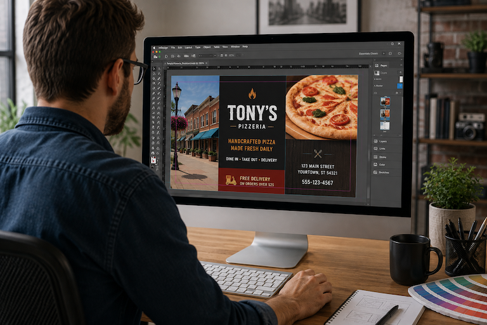
Your flyer looks sharp on screen. The colors are bright, the photos are clear, and the headline stands out.
Then you print it—and something feels different.
The gap between designing for a screen and designing for print can lead to several common print design mistakes. Fortunately, you don’t need professional design training to avoid them.
A few basic print design tips can help you get better color, sharper images, easier-to-read materials, and fewer surprises when your project goes to print.
Print Design Mistake #1: Expecting RGB Screen Colors to Match CMYK Printing
One of the most common mistakes when designing for print is expecting the colors on a computer monitor to look the same on paper.
A monitor creates color using RGB (red, green, and blue) light, while traditional full-color printing uses CMYK (cyan, magenta, yellow, and black) ink. Because screens and printing presses reproduce color differently, the colors you see on your monitor aren't an exact preview of the finished printed piece.
Your monitor's brightness and settings can also affect how you perceive color.
The fix: If a brand color, photograph, or other element needs special attention, let us know before production. Depending on the project, we can help you understand your color and proofing options before your piece goes to print.
Print Design Mistake #2: Using Too Little Color Contrast
Good print design isn't only about choosing attractive colors. Your design also needs to be easy to read.
Light text on a pale background, dark copy over a busy photograph, or colors with similar visual weight can make important information difficult to find.
The fix: Look at your design at approximately its finished printed size. Can you quickly identify the headline, offer, contact information, and call to action?
If you must search for them, your customer probably will, too.
Print Design Mistake #3: Letting Color Compete with Your Message
Color is one of the most useful tools in printed marketing materials. It can guide attention, reinforce your branding, and help important information stand out.
But if every element is bold, nothing gets to lead.
Think of a promotional flyer with several bright colors, multiple graphics, highlighted phrases, and competing calls to action. The reader has no obvious place to start.
The fix: Give color a purpose. Choose a dominant direction, use supporting colors selectively, and save your strongest contrast for the information that deserves attention first.
More color isn't automatically better color.
Print Design Mistake #4: Using Low-Resolution Images or Poor-Quality Print Files
A strong layout can't rescue a blurry photograph, pixelated logo, or image stretched far beyond its original size.
This often happens with images taken from websites. Images optimized for a website may look sharp on a monitor but lose quality when enlarged for commercial printing.
The fix: Use the highest-quality original images, logos, and graphics available. Check images near their intended printed size before submitting your project.
Better Commercial Printing Starts with a Print-Ready Design
Before sending your next flyer, brochure, menu, handout, postcard, or other color project to print, ask yourself four questions:
- Are my print color expectations realistic?
- Is the most important information easy to read?
- Does color guide attention instead of competing for it?
- Are my images, logos, and graphics high enough quality for printing?
Avoiding common print design mistakes doesn't require becoming a designer. It simply requires knowing what deserves a second look before production begins.
Frequently Asked Questions About Designing for Print
What is the difference between RGB and CMYK for printing?
RGB stands for red, green, and blue and is primarily used for digital screens. CMYK stands for cyan, magenta, yellow, and black and is commonly used for full-color printing. Because screens and printed materials create color differently, an RGB color viewed on a monitor may not look the same when printed.
Why do colors look different when printed?
Colors can appear different in print because monitors create color with light while printed pieces use ink or toner on a physical material. Monitor settings, paper selection, printing method, and other production factors can also influence the finished appearance.
Can I use an image from a website for commercial printing?
Not always. Website images are often optimized for digital viewing rather than high-quality printing. A low-resolution image may look fine online but appear blurry or pixelated when printed, especially when enlarged. Whenever possible, use the highest-resolution original image available.
How do I know if my design file is print-ready?
A print-ready file should have appropriate image quality, dimensions, bleeds, colors, fonts, and other specifications required for production. If you're unsure, we can review your file and identify issues that could affect your finished piece.
